Annotate & Markup PDF for Free
Highlight important text, draw freehand, add shapes, and insert comments. Professional markup tools directly in your browser.
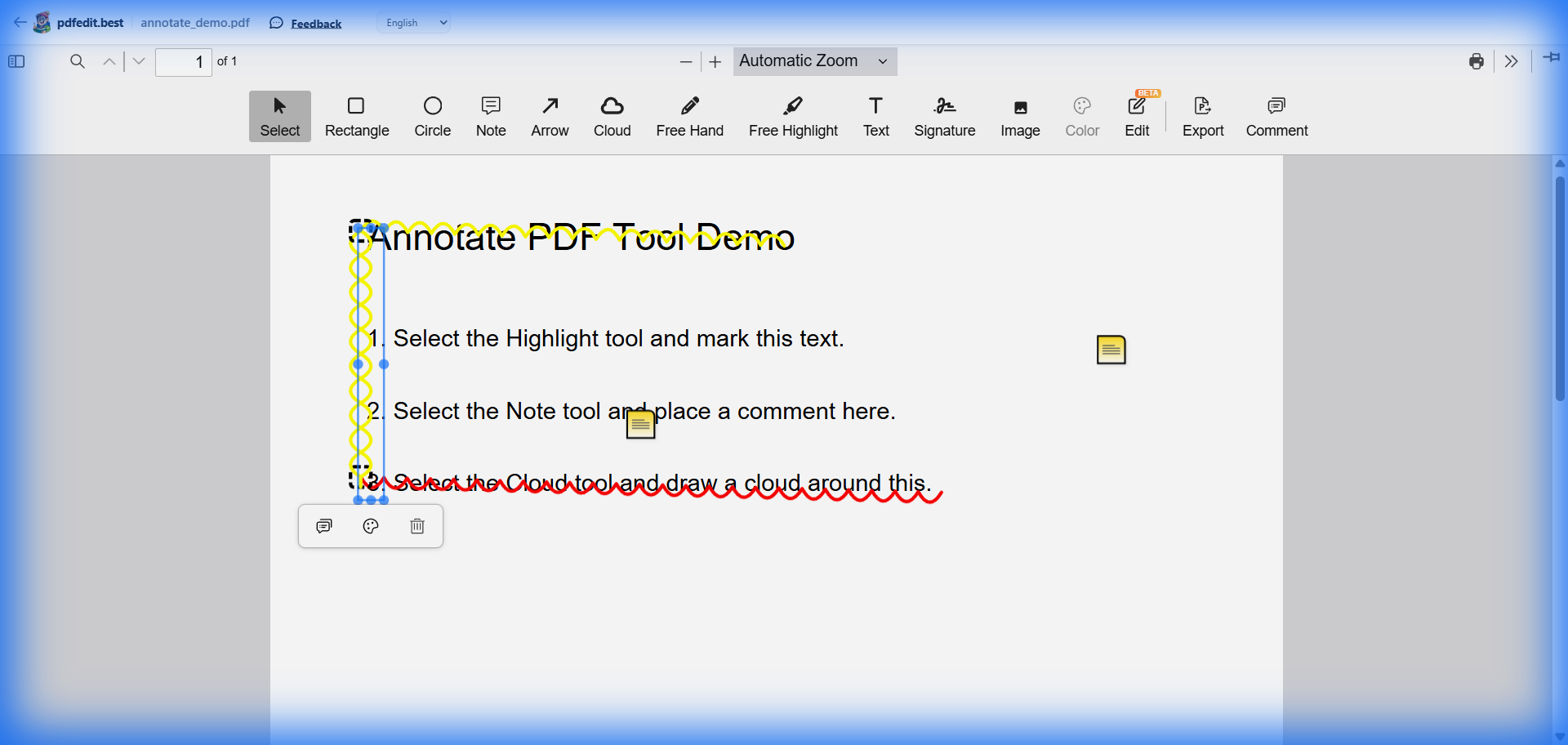
Live screenshot: highlighting and annotating a PDF document
Everything You Need for PDF Markup
Highlight
Highlight sentences in multiple colors to stay organized.
Freehand Draw
Circle, underline, or sketch directly on the document.
Add Shapes
Insert rectangles, circles, and arrows for clear communication.
Add Notes
Type comments or instructions anywhere on the page.
Perfect For
Students: Take notes on lecture slides and highlight key study areas.
Lawyers: Markup contracts and legal briefs for review.
Designers: Provide feedback on PDF mockups and layouts.
Remote Teams: Collaborate on documents without constant meetings.
Private by Design
Unlike other annotation tools that track your highlights and comments on their servers, pdfedit.best keeps everything on your machine. Your private document is processed entirely in your browser.
Frequently Asked Questions
Can I highlight text in my PDF for free?
Is pdfedit.best good for students taking notes?
Can I remove annotations later?
More Free PDF Tools
Ready to markup your PDF?
No signup. No watermark. No limits. Just upload and start annotating.
Upload & Annotate — It's FreeWorks on Windows, Mac, Linux, iPhone, and Android